Aadhaar is a 12-digits unique number issued to residents of India who have applied for it. Nowadays Aadhaar Number is a must, as it is being asked to produce to link to Mobile Number to keep it active, PAN Card, bank account, to avail subsidy, schemes and for many more purposes. So today in this post we will guide you on How to Link Aadhaar with Canara Bank Account.
W.e.f 1st April 2020 Syndicate Bank has been amalgamated into Canara Bank. So this process of linking Aadhaar with Bank account also applies for Syndicate Bank account holders.
So now let’s discuss in brief how to link Aadhaar with Canara Bank Account by using all the available methods. However to get your Aadhaar linked with your Canara or Syndicate bank account you can use any one method which is at your convenience, but all these are modes are otp based aadhaar seeding canara bank.
Table of Contents
Steps For Canara Bank Aadhaar Link Online
This method to Link Aadhaar in Canara Bank Online without visiting the branch doesn’t require internet banking service, you can just get your Aadhaar linked to the bank by visiting Canara Bank Portal. So lets get to know how the canara bank aadhar link online process works.
To submit request for Aadhar link to Canara Bank account keep your 13 digits Canara Bank Account Number, Customer ID (these details will be printed on your passbook), and Aadhaar Card Number.
Visit Canara Aadhaar Seeding Page by clicking here and just click on start now button
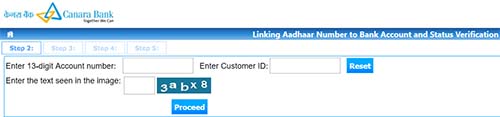
On link Aadhaar to Canara Bank Account Online Page just enter your 13 digit account number, customer id, enter the text seen in the image and click on the proceed button
You will receive a one-time-password on your registered mobile number via SMS, just enter that received OTP in the enter OTP field and click on the submit button.
On the canara bank aadhaar seeding npci page just click on link Aadhaar
Enter your 12 digits Aadhaar Number and click on the submit button.
That’s it you have successfully submitted request to link your Aadhaar Number with Canara Bank Account, your Aadhaar Number will get successfully linked to your Canara Bank Account in next 24 to 48 hours. You will also receive SMS on your registered mobile number regarding the successful link of Aadhaar with Canara Bank.
Link Aadhaar number to Syndicate or Canara Bank through ATM
Canara or Syndicate bank account holders with ATM cum debit card can link their Aadhaar number with bank account through ATM mode. If you want to get your Aadhaar linked with bank account through ATM mode then you can follow the below process:
Visit nearest Canara Bank ATM with your ATM cum Debit Card and insert the ATM Card into the ATM machine
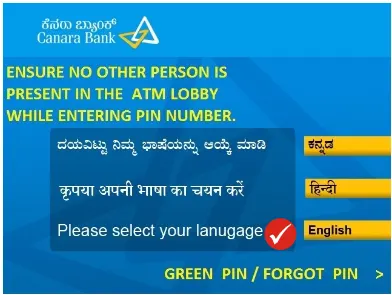
Select the language
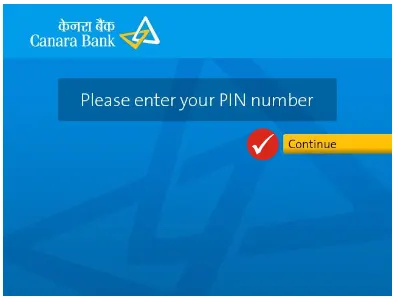
Enter your ATM PIN
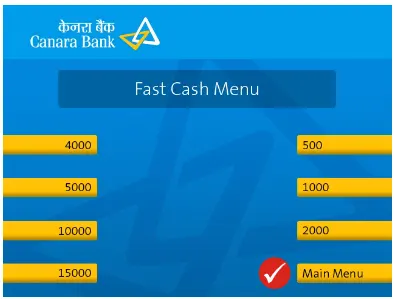
Tap on Main Menu from Fast Cash Menu Screen
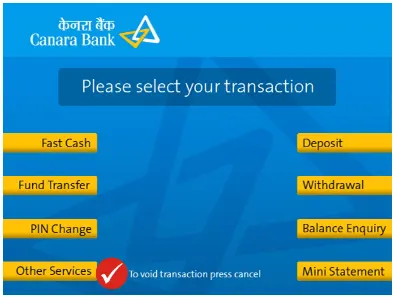
Tap on Other Services on Please select your transaction page
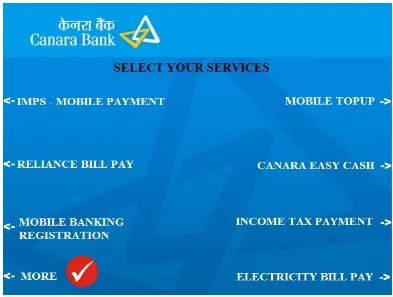
From Select your services page, tap on More
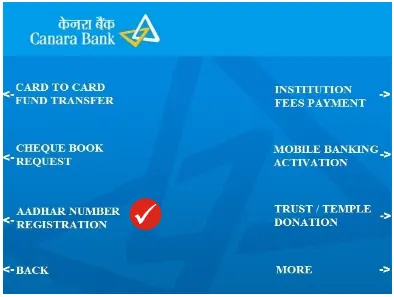
Tap on Aadhar Number Registration
A notice will display “I agree that bank/ UIDAI may share my details with each other for purpose of authenticating my Aadhaar” tap on the “CORRECT” if you agree

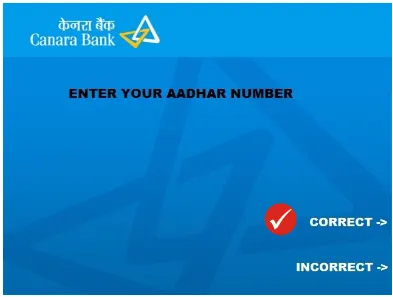
Enter Aadhaar Number (after entering the Aadhaar Number tap on Correct button)
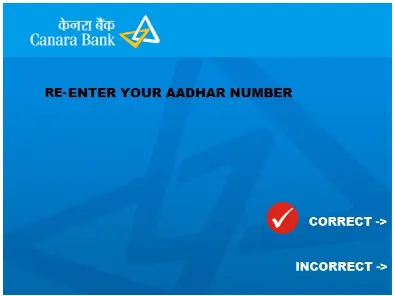
Re-Enter Aadhaar Number and tap on Correct button
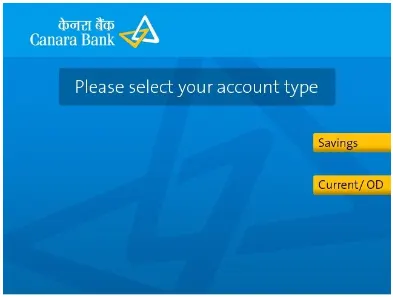
Select your type of account from Savings or Current/ OD
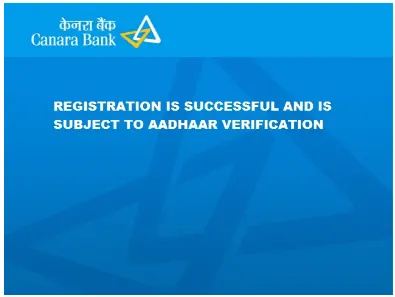
The registration will get successful, and which will go through Aadhaar Verification
A receipt is generated saying (Your Aadhaar number updated successfully)
Linking Aadhaar with Canara Bank through Mobile banking
Canara or Syndicate bank customers with mobile banking service activated can link their Aadhaar with bank account through the mobile banking app.
To link Aadhaar open the Canara bank mobile banking app
Login using your credentials
Tap on register Aadhaar or seed Aadhaar under requests
Select the account number and enter the Aadhaar
Tap on the submit button to link your Aadhaar with bank account
You will receive one time password on your registered Aadhaar mobile number
Enter the received OTP to confirm the linking
Link Aadhaar with Canara or Syndicate bank through Internet banking
Canara or Syndicate account holders with internet banking service enabled can link their Aadhaar promptly by using this service.
To link Aadhaar with Canara or Syndicate using internet banking, visit Canara Bank internet banking portal and login with the credentials
Find Customer Service and click on update Aadhaar number
Enter your Aadhaar number and select the bank account to which you want to link
You will receive one-time-password on your registered mobile number
Enter the received OTP and click on the submit button
Canara Bank Aadhaar Seeding through SMS
Canara Bank Aadhaar Seeding through SMS is not possible as the bank haven’t provided such services to Seed Aadhaar through SMS.
Canara Bank Link Aadhar through Branch
If you are not familiar with the above online methods for Aadhaar Seeding with Canara Bank Account. You can use the alternative and traditional method to link Aadhaar with Canara or Syndicate Bank Account Offline by visiting branch through Canara Bank Aadhaar Card Link Form.
Just take a photocopy of Aadhaar and passbook, and walk into your Canara Bank Branch.
At the branch request for Aadhaar seeding form, you will get the form free of cost. However, you can even download the form and take a printout of it
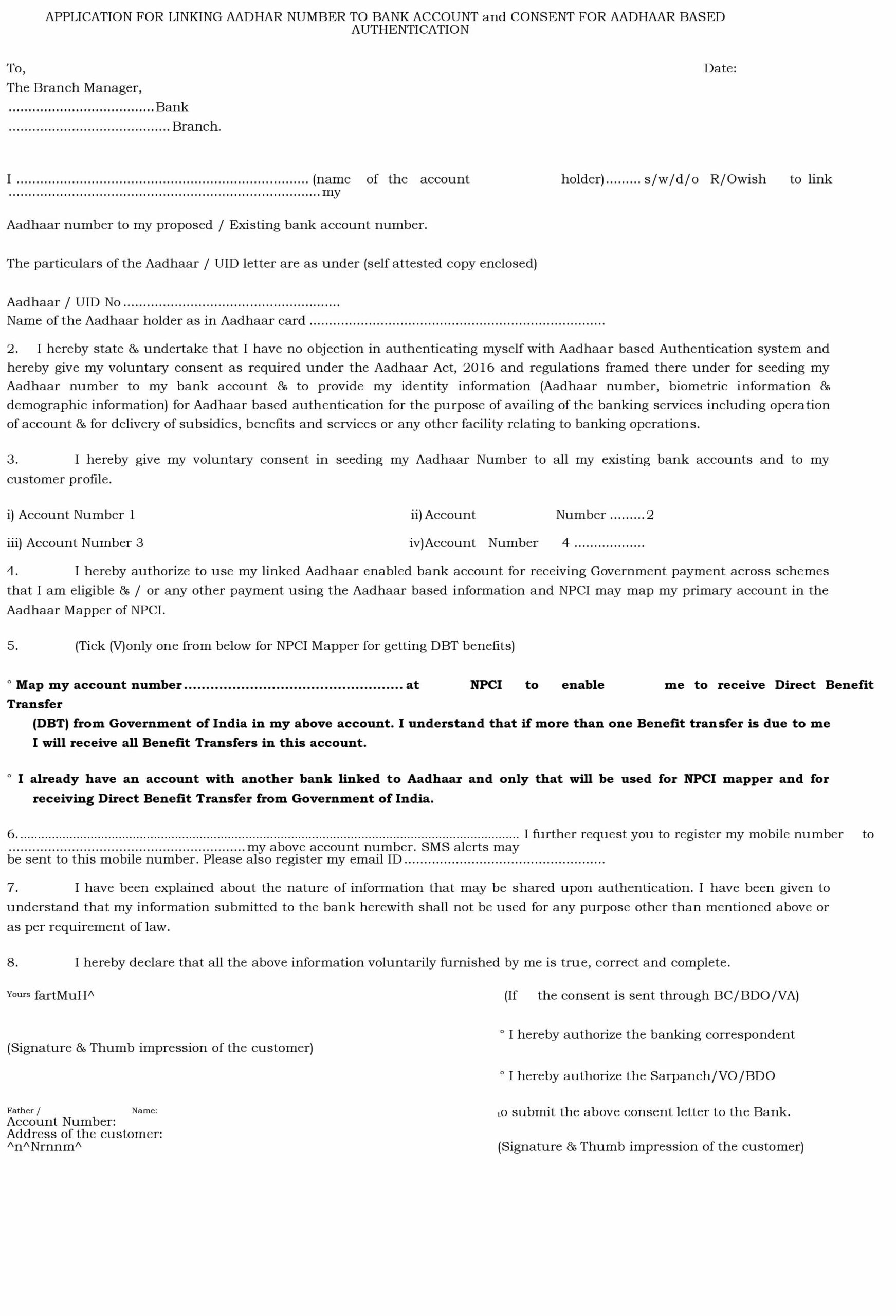
Just fill in all details asked in the form and enclose the self-attested copies of Aadhaar and Bank Passbook.
Submit the Aadhaar Seeding Form with documents to the bank executive.
Your Aadhaar Number will be successfully linked to your Canara Bank Account in next 24 to 48 hours, you will also receive SMS on your registered mobile number.
That’s it, this is how easily you can link Aadhaar with Canara Bank Account.
Canara Bank doesn’t offer the facility to link aadhaar to canara bank account via sms.
To verify the Aadhaar linkage status of your Canara Bank account, you may reinitiate the Aadhaar linking process. If your Aadhaar was previously linked with Canara Bank, the system will not permit you to link it again. This process ensures a comprehensive Canara Bank Aadhaar link check.

the link not working
ashamed to say that the given link to aadhaar with canara bank account above online is not working still hanging to fool public.
sorry
Hello,
Now you can access the Aadhaar Seeding link from your net banking account under ‘Services’ option.