Changing Aadhaar Mobile Number is now possible through several modes as per your convenience like Online at your fingertips, IPPB Mode at Door Step or the traditional way by visiting the Aadhaar Seva Kendra. Having a valid mobile number linked to your Aadhaar Card is of utmost importance as it grants you access to a wide range of privileges and benefits. The mobile number serves as a crucial point of contact and verification for various government services and initiatives. In this digital era, where most communication and transactions take place through mobile devices, ensuring that your Aadhaar Card is linked to an active and up-to-date mobile number becomes essential.
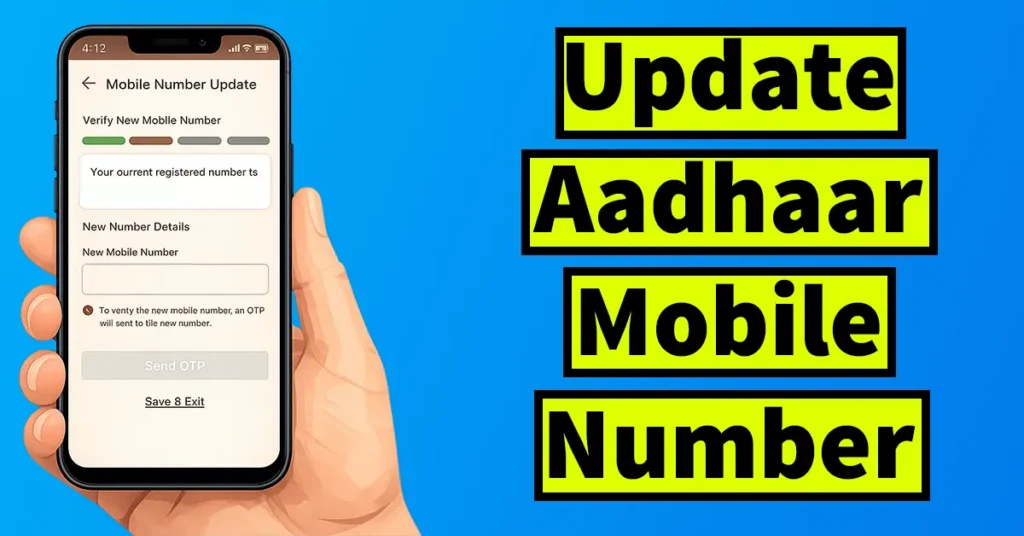
Table of Contents
Benefits of Aadhar Card Linked Mobile Number
When your mobile number is associated with your Aadhaar Card, it enables seamless communication between you and government agencies.
This connectivity plays a significant role in availing services such as government subsidies, pension schemes, mobile number-based authentication for various transactions, and much more. It acts as a bridge, connecting you to the digital ecosystem designed to simplify and streamline essential processes.
Linking your mobile number with your Aadhaar Card offers convenience and accessibility. It allows you to receive important notifications, updates, and alerts related to your Aadhaar Card directly on your mobile device.
This ensures that you stay informed about any changes or modifications made to your Aadhaar Card details, including your personal information, address, and other vital data.
Moreover, a valid mobile number linked to your Aadhaar Card strengthens the security of your personal information.
It acts as an additional layer of authentication, ensuring that only authorized individuals can access and make changes to your Aadhaar Card details. This helps protect your identity and prevents any unauthorized modifications or misuse of your personal information.
To link or update your mobile number with your Aadhaar Card, you can follow the prescribed methods provided by the Unique Identification Authority of India (UIDAI). These methods may include visiting the nearest Aadhaar Enrolment Center or utilizing the online facilities offered by UIDAI or the Door Step Service Offered by the India Post.
When to Update Mobile Number on Aadhar Card
The need to update or change mobile number on Aadhar Card may arise on various occasions, such as:
- In the event that the registered mobile number associated with Aadhaar has been misplaced or lost, it necessitates attention and prompt action for update or correction.
- If the registered mobile number linked to Aadhaar becomes inactive or is deactivated by the service provider, immediate measures are required to rectify and update the information.
- In situations where an individual undergoes a change in their mobile number, it is imperative to promptly update the revised contact details in their Aadhaar registration.
- In cases where the mobile number was not provided during the initial Aadhaar enrollment process, it becomes essential to furnish the missing information and ensure accurate registration by including a valid and active mobile number.
Without having an active mobile number registered with Aadhaar Card, you cannot perform many tasks or get a various notification when your Aadhaar Number is used, so it is better to get a mobile number updated or corrected as soon as possible.
There are many more benefits of having a mobile number registered with Aadhaar, which you could know from the below points.
What You Can Do When Aadhar Card Link with Mobile Number
You can now easily download Aadhaar Card whenever and wherever you need it. In case your Aadhaar card is lost or damaged, you have the option to instantly download a digital copy and print it for immediate use.
You can easily update your address online if you have recently moved and need to update it in your Aadhaar. Simply submit the necessary documents online to initiate the address update process.
Open a bank account online in just five minutes using Aadhaar OTP. No need to visit the branch everything can be done easily from home.
Instantly Apply for PAN with a Aadhaar Number without filling any additional forms.
eSign any document completely online through Aadhaar if mobile number is registered.
The process of changing or updating the mobile number in an Aadhaar card can be carried out through both online and offline methods. Online updates can be done through the UIDAI’s Official app which won’t require any requirement to submit the form offline or visit any Seva Kendra, Door Step Service via India Post Payments Bank will provide you the Mobile Number Update Request at your doorstep, while offline updates require a visit to the nearest UIDAI Aadhaar Kendra.
| Update Type | Mobile Number |
| Fee | ₹75 |
| Documentation | No document required |
| Request Accepted Mode | Online & Offline |
Update Aadhaar Mobile Number Online
To Update Aadhaar Mobile Number Online, you will need to download the Aadhaar app. To download the Aadhaar app, open the app store on your Phone.
Search for Aadhaar, this will display several results.
Tap on the Aadhaar app and install. (make sure you install the official app by UIDAI, you can rectify it by checking the Government entity logo appearing against it)
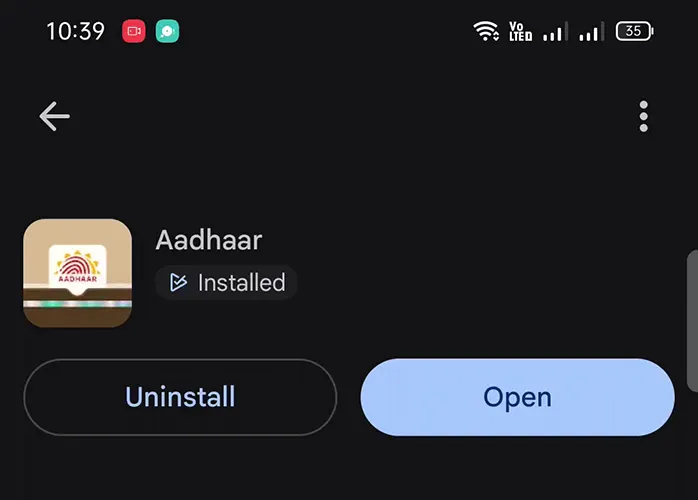
Once the app is installed, open the app.
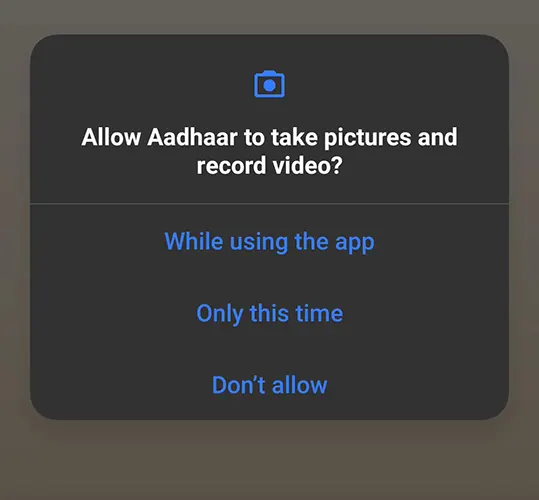
Allow all the permissions asked by the app as its required for proper functioning of features in the app.

A welcome page will appear, to know the feature you may tap on the Discover Key Features, but as here we are already explaining you tap on the Skip Introduction and Register
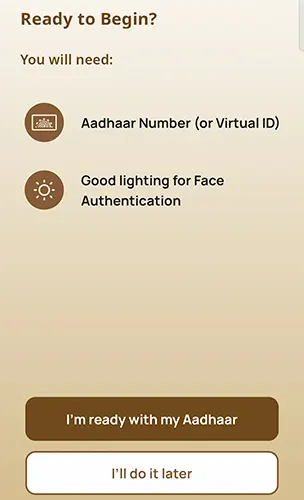
On next page you will be presented with the requirements which is your 12 digits Aadhaar Number or VID Number, and Good Lighting for Face Authentication. Make sure you fulfill both these requirements and once you are ready with this tap on the I am ready with my Aadhaar.
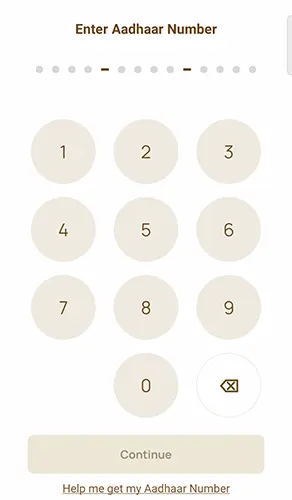
Enter your 12 digits Aadhaar Number and tap on the Continue button
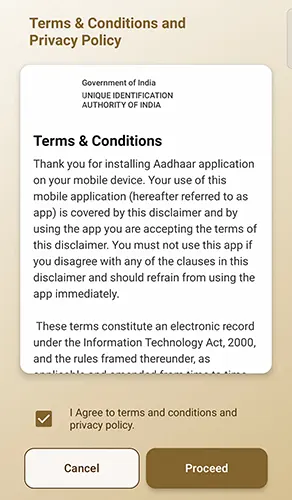
On next screen terms and conditions and privacy policy will be presented, you may read it out by scrolling it down and tick mark on I agree and tap on the proceed button
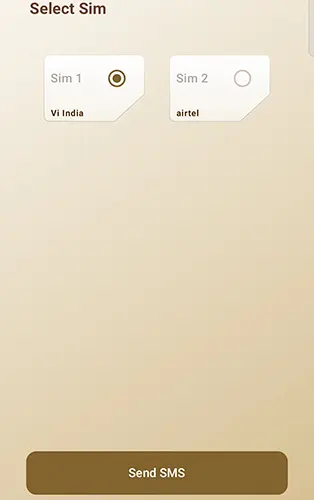
Next if you are using dual SIM on your phone then you will be asked to select the SIM, select the SIM and tap on the Send SMS button
A popup will appear would you like to send message, tap on the send button
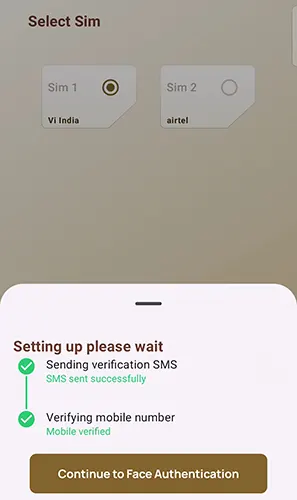
Your mobile number will be successfully verified.
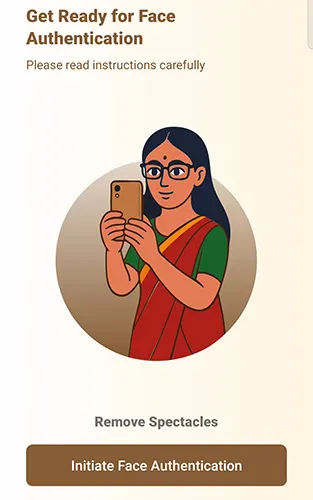
Next you will get asked to get ready for the face authentication, while face authentication you need to remove spectacles if you are wearing one.
To initiate face authentication tap on the Initiate Face Authentication

The app will begin capturing your face, you need to position your face in the center of the circle and when ready blink your eyes once to capture.
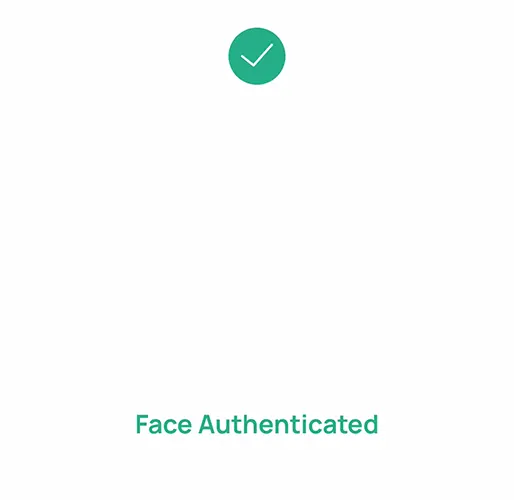
Face authentication will successfully get completed and a message will appear face authenticated.
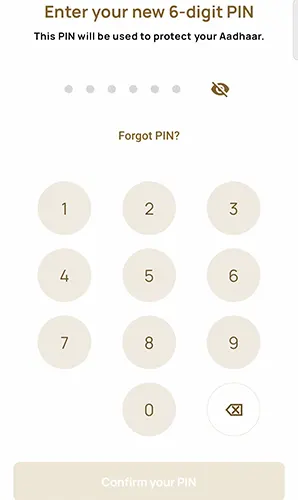
The app will then prompt you to setup an 6 digits PIN, enter a six digits pin which you wish to set and tap on the Confirm your PIN.
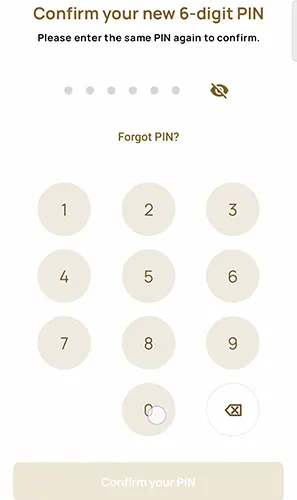
Again to confirm enter the PIN and tap on the Confirm your PIN.
In the app your Aadhaar QR will be displayed, to view your full Aadhaar tap on the QR and your Aadhaar Card will be displayed. To go back to qr tap on the cross icon appearing below and it will return to QR Code.
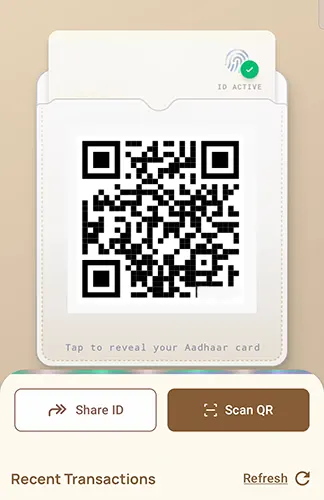
Now lets proceed with updating mobile number in Aadhaar.
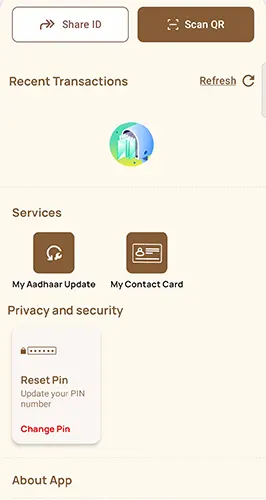
To get the option or update Aadhaar, hold your finger on recent transaction option and swipe up, so this will display the services section.
From the Services tap on My Aadhaar Update
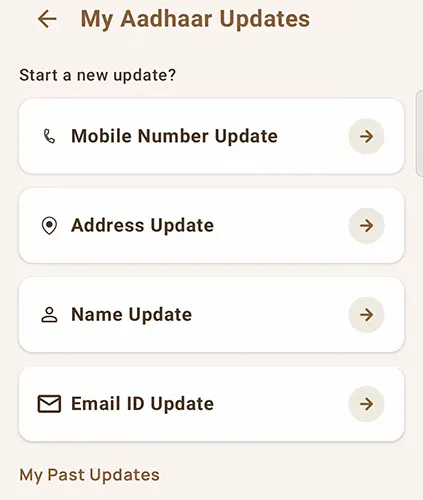
My Aadhaar Updates will show up Mobile Number Update, Address Update, Name Update and Email ID update.
Tap on Mobile Number Update.
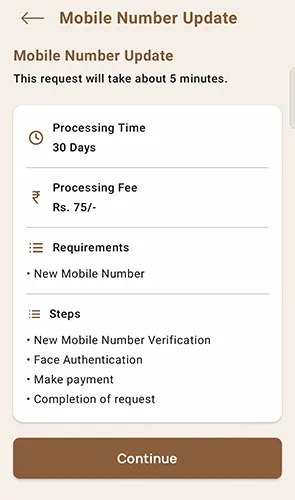
A quick information will be provided about mobile number update service like how much time does it takes to submit update request, processing time, processing fees requirement and steps.
Tap on the Continue button appearing below
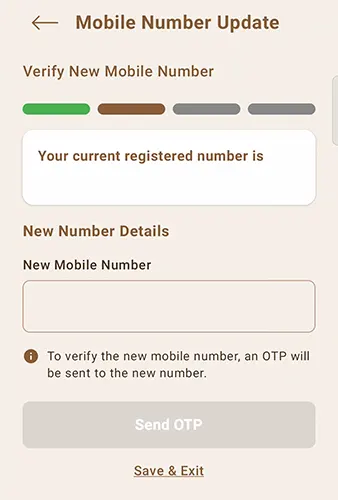
The existing which is current mobile number registered with Aadhaar will be displayed and below you will see a field new number details which is new mobile number in which you will need to mention the mobile number which you wish to update in your Aadhaar and tap on the Send OTP button
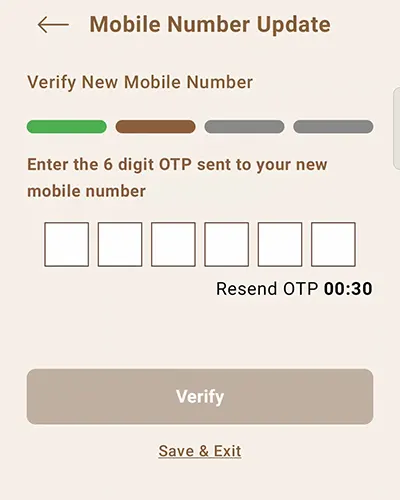
You will receive an OTP on your new mobile number which you have entered to update.
Enter the OTP and tap on the Submit button
On next screen you will get to see your new mobile number OTP is verified successfully.
Next you will need to complete the face authentication. So tap on the face authentication option appearing below.
Face authentication advisory will be displayed which you will need to follow while face authentication process.
Tick mark on I have read advisories and Tap on the Proceed button appearing below.
The app will start capturing your face, make sure you keep your face in the center of the circle.
You need to blink several times when you are prompted in the app
Once you are done with the face authentication, a message will appear Face Authenticated.
The final step will be of making the payment, you will need to make an payment of 74 rupees as a processing fee to submit your request successfully.
Tap on the Confirm and Pay button and make the payment using any of the online payment modes.
Once the payment is done you will receive a message Your Mobile Number Update Request has been successfully submitted. And below you will find an option to download acknowledgement of your request.
Tap on the download acknowledgement and this will download the acknowledgement receipt which you need t maintain for future reference purpose or you can track your status using the number.
Your request for mobile update will take maximum 30 days of deadline to be completed successfully. And once its approved you will receive SMS on your mobile number regarding the same.
Change Mobile Number on Aadhar Card at Seva Kendra
Updating or changing the mobile number in Aadhaar at a Seva Kendra is a simple process that does not require any documents. The Aadhaar holder only needs to visit the Aadhaar Center in person to update their mobile number.
The following procedures must be followed by Aadhaar holders to update or change mobile number on Aadhar Card:
Download Aadhar Card Mobile Number Update Form, as per your age group and resident type (it is important to note that there is no dedicated form for this purpose. Instead, you are required to utilize the regular Aadhaar Enrolment Correction Update Form to make the necessary changes. This form serves as the standard means for updating various details in your Aadhaar profile, including the mobile number.)
Please ensure that you take a printout of the Aadhaar mobile number update form on an A4-sized paper
You can also obtain this form directly from the Aadhaar Kendra. Simply visit the Aadhaar Kendra and request the form
Once you have the form with you, tick mark on the update and mobile field
Make sure to fill in all the required fields on the form, including the mobile number that needs to be updated in your Aadhaar. Pay careful attention to provide accurate information while filling out the form.
Once you have filled out the form, make a photocopy of your Aadhaar card. You will also need to provide either the original Aadhaar card or a printed copy of the Aadhaar letter or eAadhaar letter as supporting documentation. Keep these documents handy for the mobile number update process.
To update your mobile number, visit the nearest Aadhaar Center in your area. If you’re unsure of the location, you can find it online using the provided link. You can also book an appointment for a hassle-free experience.
Upon arrival at the Aadhaar Center, kindly present the completed form to the assigned operator for further processing
Before proceeding with the mobile number update, you may be requested to present your Aadhaar card for verification purposes. This step ensures the authenticity and verification of your identity before proceeding with the update process.
The operator at the Aadhaar Center will input the necessary information into the Aadhaar software, including the updated mobile number. Following this, your fingerprints will be captured for authentication purposes. This meticulous process ensures the accuracy and security of your Aadhaar details.
Upon successful matching of your fingerprint, your update request will be securely transmitted to the UIDAI (Unique Identification Authority of India). This ensures that your requested changes, including the updated mobile number, are properly processed and reflected in your Aadhaar record.
Upon approval and verification by UIDAI, your mobile number will be updated in your Aadhaar card. It is important to note that this process typically takes approximately 1 to 2 weeks to complete.
In the meantime, you will be provided with an Aadhaar Update Receipt, which should be kept securely until your mobile number is successfully updated in your Aadhaar card. This receipt serves as a crucial document that validates your update request and should be retained for future reference.
If you prefer the process to place request for mobile number link to aadhar card online then you can follow the below method.
IPPB Update Mobile Number in Aadhar at Door Step
The Online India Post Payment Bank Aadhar Update method also known as post office aadhar mobile no update for updating the mobile number in Aadhaar does not require the Aadhaar holder to pass an OTP (One-Time Password) verification. Instead, India Post Payment Bank Aadhaar Service method proves to be a time-saving solution for individuals seeking for mobile number update in Aadhar Card without the need for OTP verification. It offers convenience and efficiency for those who are in search of a hassle-free process for changing their Aadhaar card mobile number.
To place India Post Payment Bank Aadhar Update Mobile Number, you don’t actually need to have the mobile number which is registered with your Aadhaar. The India Post Aadhar Card Mobile Number Link process works as follows.
ippbonline.com Aadhar Card Update
To change or update mobile number in Aadhar Online using IPPB Aadhaar Mobile Number Update method visit the India Post Aadhaar Service Request visit the nearest Post Office or Contact the Post Man.
You can arrange an appointment for Aadhaar Mobile Update at your door step or even you can do it at the Post Office Premises.
An authorized executive from post office will arrive within 1 – 2 working days or on fixed appointment date at your address to update mobile number in Aadhar using IPPB Online Aadhar Update. The Postman or Gramin Dak Sevak will call you before visiting.
The Operator will appear at your door step at agreed time and date for the mobile number update in Aadhaar
To initiate the ippb mobile number update online through Door Step facility, the operator will first login into CELC Tablet
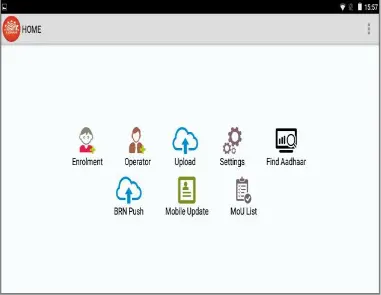
After successful login, the operator will tap on the Mobile Update from the home screen of the app to initiate IPPB Aadhaar Link Mobile Number through ippb mobile number update online
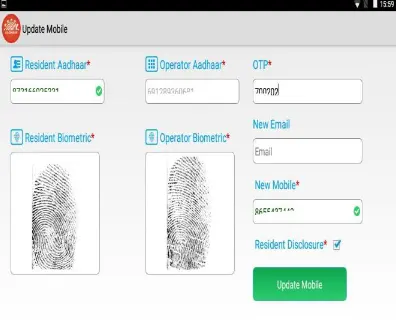
On next screen mobile update page will appear, where in your 12 digits Aadhaar Number will be filled followed by Operators Aadhaar, the new mobile number and email id
A one time password will be sent on the new mobile number which is entered in the app, to proceed with ippb aadhaar link mobile number you need to furnish the received OTP to the operator
The operator will feed in the OTP in the OTP field on the app and will tick mark on the Resident Disclosure
Your biometric authentication will be done for confirmation by capturing the thumb print impressions
Then the operator will confirm the request by giving his or her biometric confirmation
Once all these steps are completed, the operator will tap on the Update Mobile button
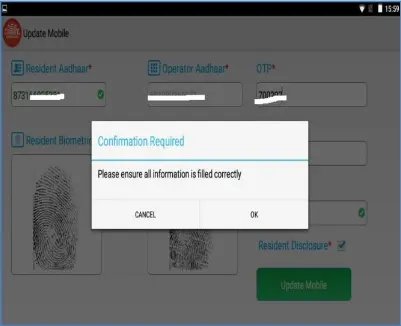
A pop up will appear with a confirmation “Please ensure all information is filled correctly”, if everything is filled correctly then the operator will tap on the OK button
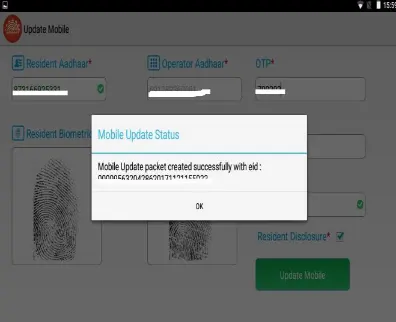
A final pop up will appear of Mobile Update Status where in it will mention Mobile Update Packet Created Successfully with EID
The enrollment number of UIDAI Mobile Number Update request will be sent on your registered mobile number
The status of ippb aadhaar mobile update can be checked online using this id. The request for ippb update mobile number in aadhar card could take 2 – 90 working days to process.
Upon verification your request for ippb aadhaar mobile number change will be updated in your Aadhaar. The process of tracking the ippb online aadhar update status is same as the regular ones, but still if you wish to know the complete process of IPPB Aadhaar Mobile Number Update Status click on the below link.
The IPPB Mobile Number Update Online Facility is a chargeable service, at the time of availing the India Post Aadhaar Mobile Number Update Service the applicable Service charge will be collected from you.
Both the methods of updating phone number in Aadhaar which is through Aadhaar Seva Kendra and IPPBOnline Aadhar Mobile Number Update doesn’t require OTP authentication sent on the existing registered phone no which means Aadhar Card Change Mobile Number without OTP is possible.
The Unique Identification Authority of India (UIDAI) does not provide a service to link Aadhaar with a mobile number via SMS. The linking process requires certain authentication and verification steps to ensure the accuracy and security of the information.
The Aadhaar Number will remain same, only the mobile number will be updated in your Aadhaar.
You can directly reach local India Post Office.

Mera mobile number update nhi hai
Mera mobile number update nahi hai
mera mobile no-update nahi he
Phone number link with Aadhar
Mara Aadhaar card Ka DOB and name badlna hai
My mobile number is already registered my wife adharcard so I need used same number with my adharcard so how to apply in online please
Mera Adhar card like nahi hi
Hello Sushil,
If your mobile is not linked with your Aadhaar already then get it linked by visiting Aadhaar Seva Kendra (ASK).